IN STOCK

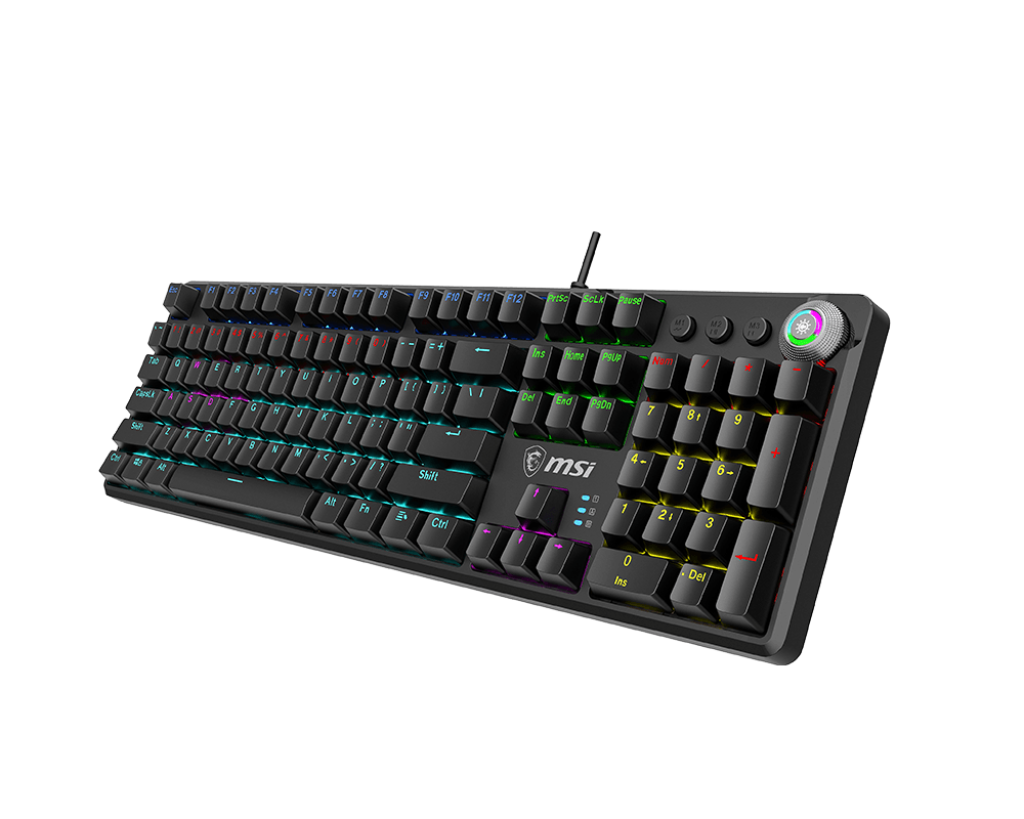
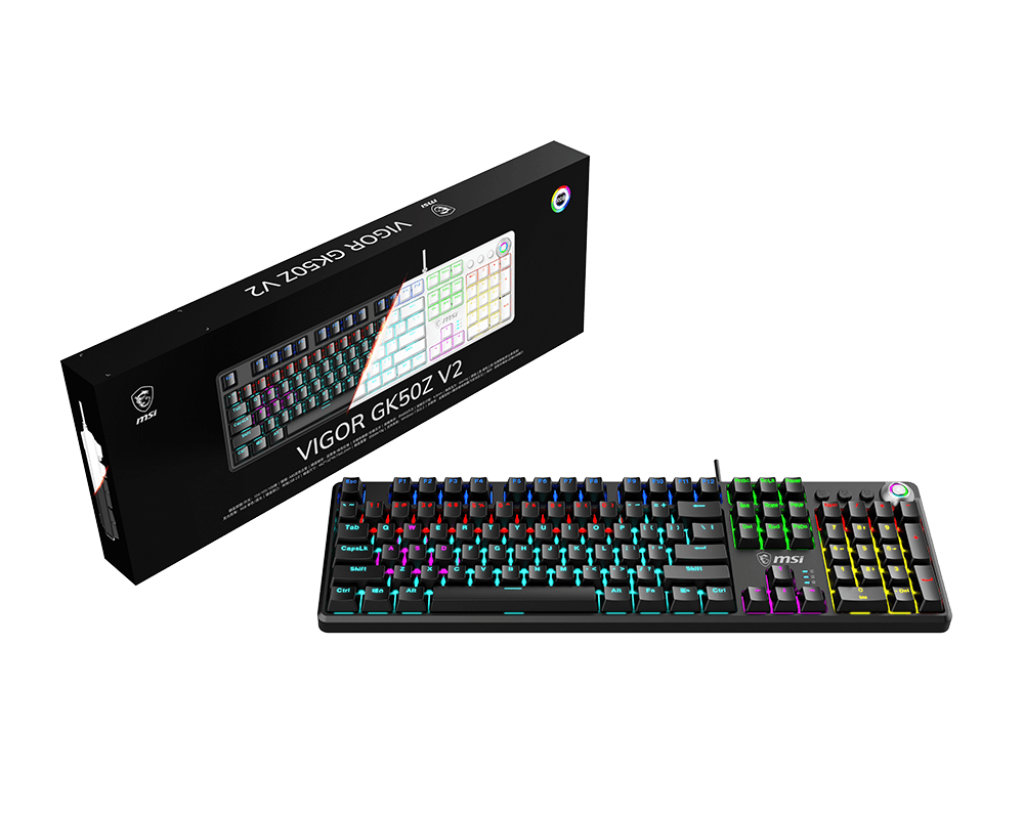
MSI VIGOR GK50Z V2 GAMING KEYBOARD

රු 14,500

wws Need Help? Contact Us via WhatsApp
« WE ACCEPT »
Cash
14,500 LKR
Cash
Bank Deposit
14,500 LKR
Bank Deposit
VISA / Mastercard
15,008 LKR
VISA / Mastercard
American Express
15,008 LKR
American Express
KOKO
16,675 LKR
KOKO
PAY IN 3 X 5,558.33 LKR
Payzy
16,675 LKR
Payzy
PAY IN 4 X 4,168.75 LKR

Product Description

Detachable magnetic top cover:
one keyboard, two experiences

  • Install and disassemble as needed
  • Diverse styles
  • Easy to clean
MSI VIGOR GK50Z V2

Double-shot injection molded keycaps

ABS magnetic top cover

mechanical shaft

Metal knob

Metal brushed panel

PCB circuit board

ABS bottom shell

Sandwich structure design

The internal structure is clear and neat.

Replace and use immediately, no waiting required

Full hot-swappable keys. Includes 3 spare switches and a keycap puller.

MSI VIGOR GK50Z V2
MSI VIGOR GK50Z V2

*The spare shaft comes with a protective sleeve, which must be removed before installation.

Custom-tuned shafts

Linear red for a smooth gaming experience, quiet and silky-smooth tactile feedback
; tactile blue for a classic tone and crisp, tactile button feel.

MSI VIGOR GK50Z V2
MSI VIGOR GK50Z V2
MSI VIGOR GK50Z V2
MSI VIGOR GK50Z V2

Colorful lights are never absent

Adjust with a knob to easily switch between 20 lighting effects.

MSI VIGOR GK50Z V2

Multimedia buttons + knob

Rejecting complicated button combinations, focusing solely on ease of use.

MSI VIGOR GK50Z V2

Switch between dual modes at will

MSI VIGOR GK50Z V2
  1. Knob – Dual Mode Switch
  2. Press and hold the knob to switch modes:
    Game Mode (knob indicator light on)
    Office Mode (knob indicator light off)

Office mode

Press the knob switch = Multimedia function (mute)

Turn the knob to the right = Multimedia function (volume up)

Turn the knob to the left = Multimedia function (volume down)

1. Tap to mute
2. Rotate to control volume
Previous song
Play/Pause
Next song

Game Mode

Pressing the knob switch allows you to cycle through 20 different lighting effects.

Turn the knob to the right (increase light brightness).

Turn the knob to the left (reduce light brightness).

1. Tap to switch lighting effects
2. Rotate to control brightness
Lighting effect 1
Lighting Effect 2
Lighting Effect 3
MSI VIGOR GK50Z V2
  1. In game mode, you can customize the lighting mode to create your keyboard lighting effects.
  2. Press Fn+Esc to clear the lighting recording and restore the preset game mode lighting.

Product Specifications

Model Name
VIGOR GK50Z V2
interface
Wired USB
light
It can achieve 20 lighting effects.
operating system
Windows 7 and above
weight
Approximately 830±10 g
Keyboard size
442 * 132 * 49.73 mm
Anti-ghosting mode
Supports 6-key and N-key modes for user selection
Button lifespan
Approximately 60 million times
wire
Approximately 1.8m of paracord line
Key count
104 keys + 3 macro keys + 1 knob
shaft
Blue/Red Switch

VIGOR GK50Z V2

  • The detachable magnetic top cover offers two keyboard experiences in one.
  • Full hot-swappable switches facilitate repair and replacement of switches
  • Dual-mode adjustment knob, multimedia function buttons, easily switch between gaming and office work.
  • Upgrade paracord cord
  • 20 dazzling lighting effects
  • Includes 3 spare switches and a keycap puller.
Warranty

6 Months Warranty